How to set up and login to LGI Desktop App?
How to start with a job?
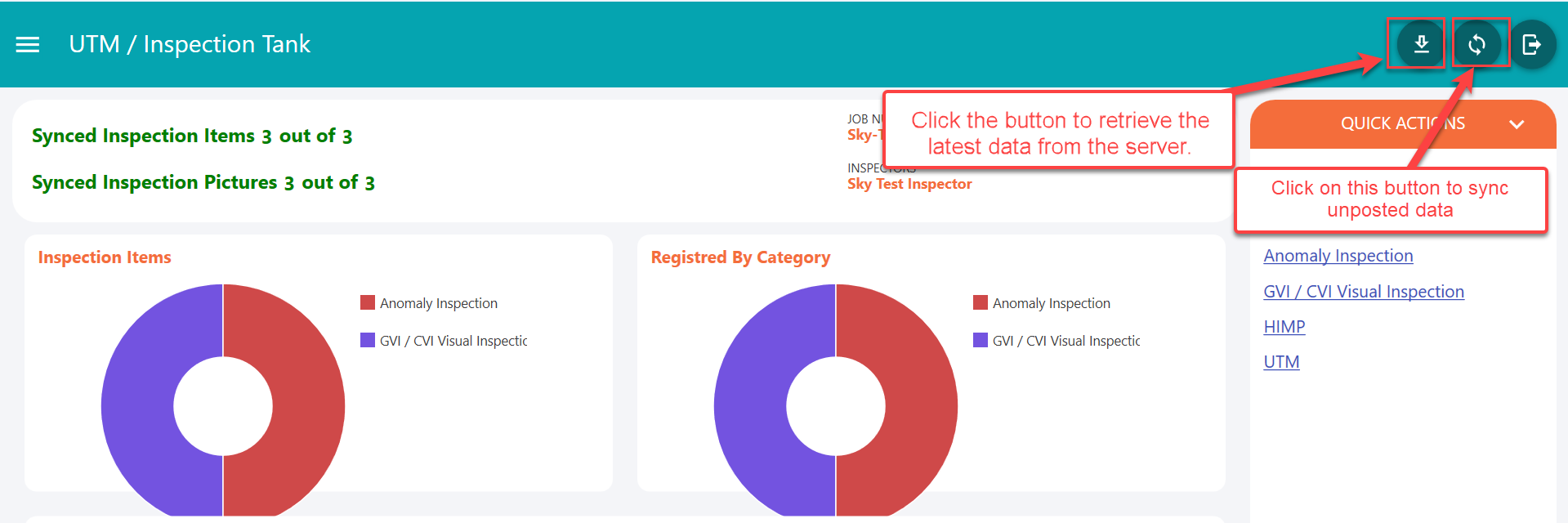
1 After successful login, fetch or sync data by using the icons at the top-right corner of the screen.
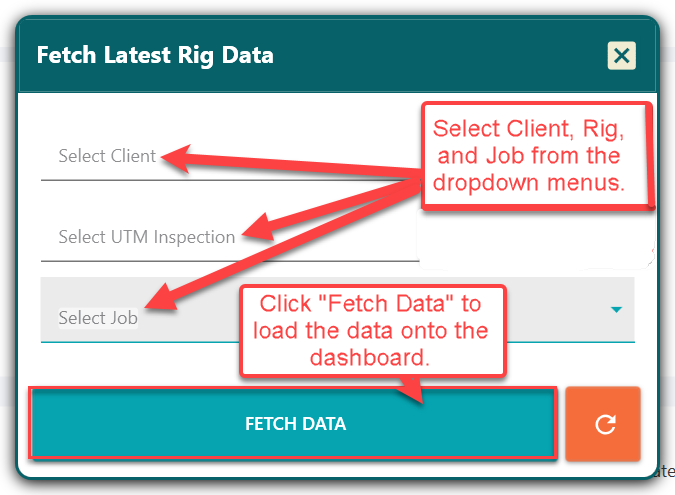
2 After selecting the fetch option, select Client, Rig, and Job, then press "FETCH DATA" to fetch the desired data. You can also refresh fetched data using the "REFRESH DATA" button.
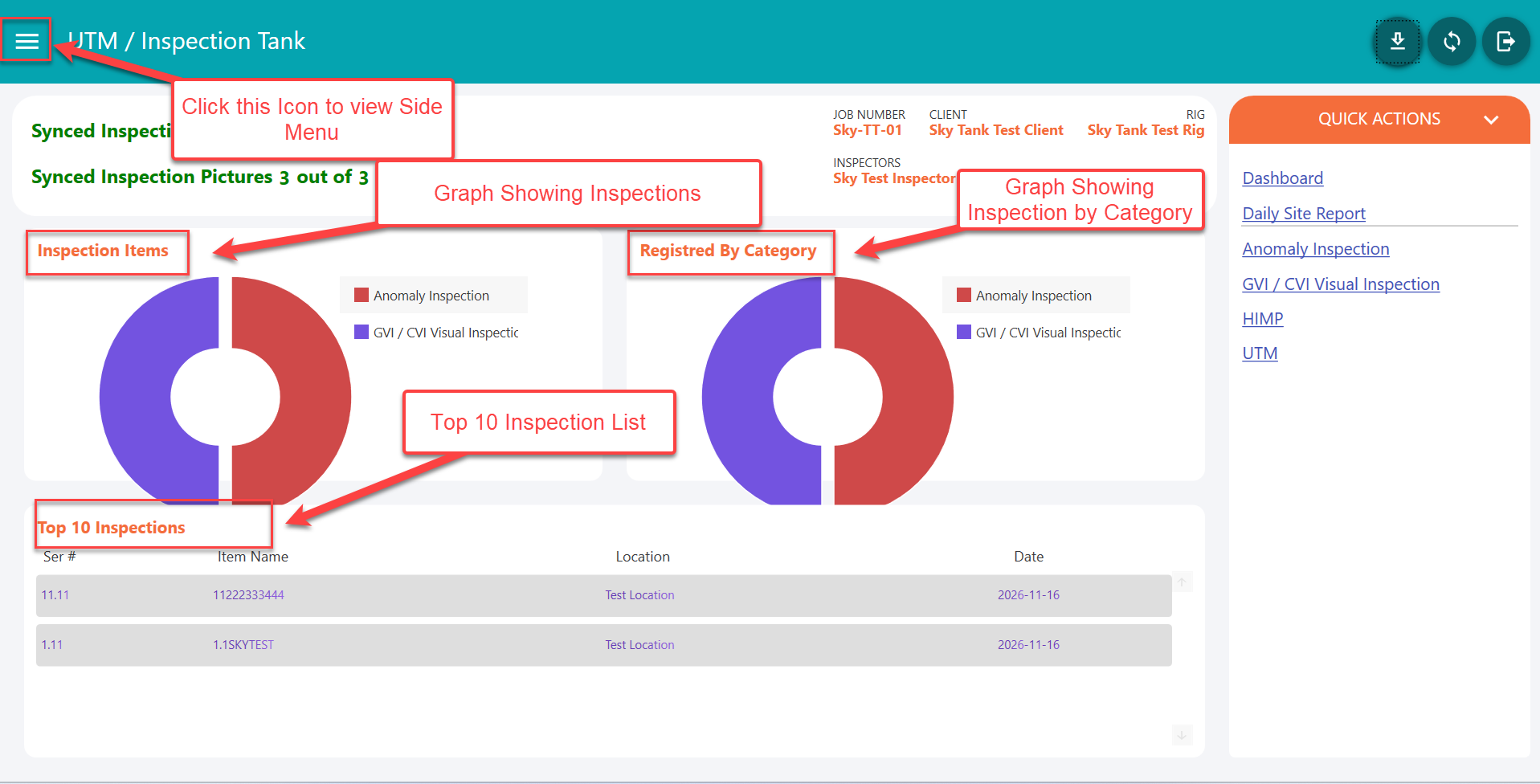
3 The selected data will be loaded and visible on the dashboard in different sections, as shown in the attached image.